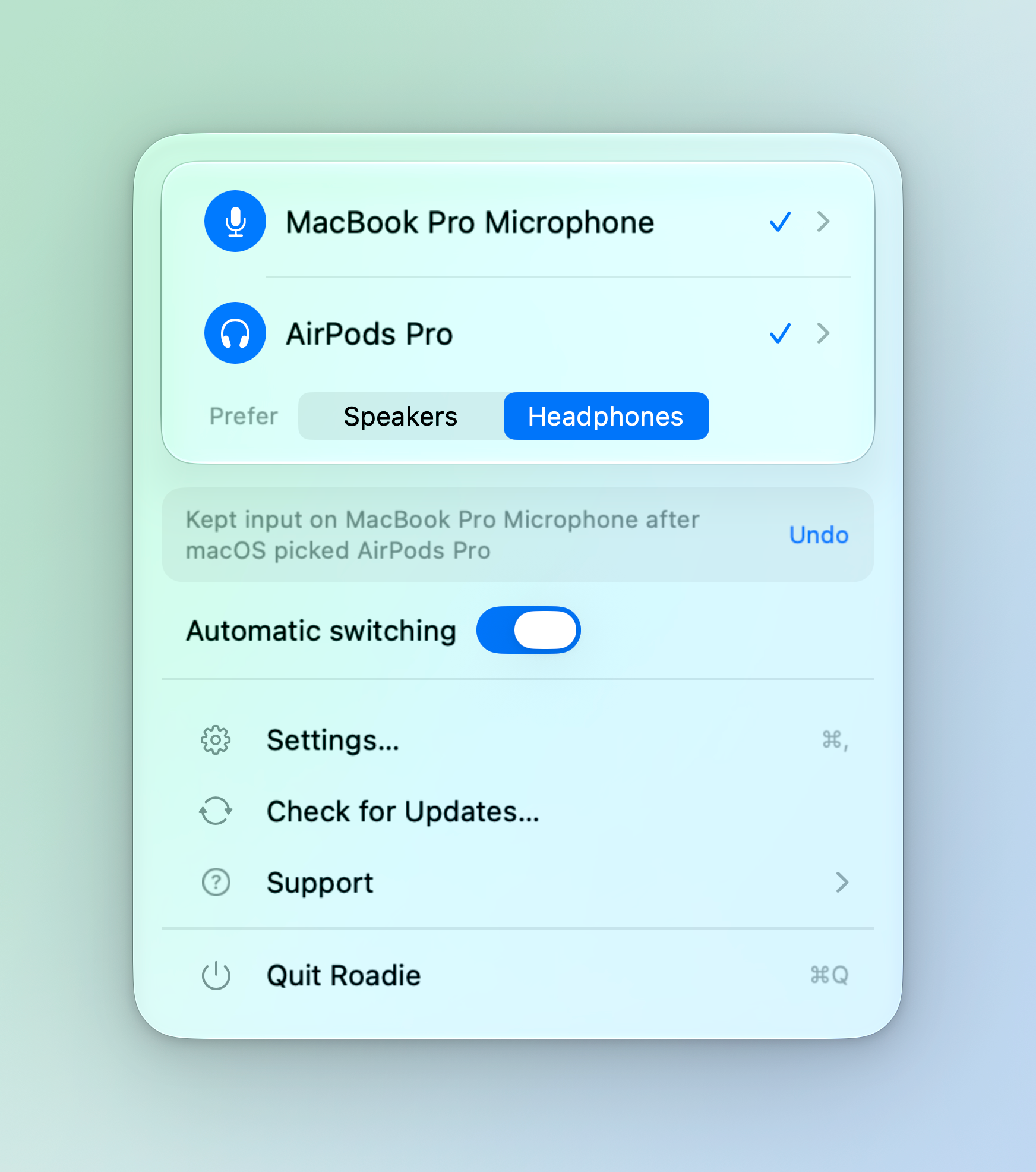
Small details. A calmer menu.
Clearer device choices, more useful corrections, and fewer loose ends when you change your mind.
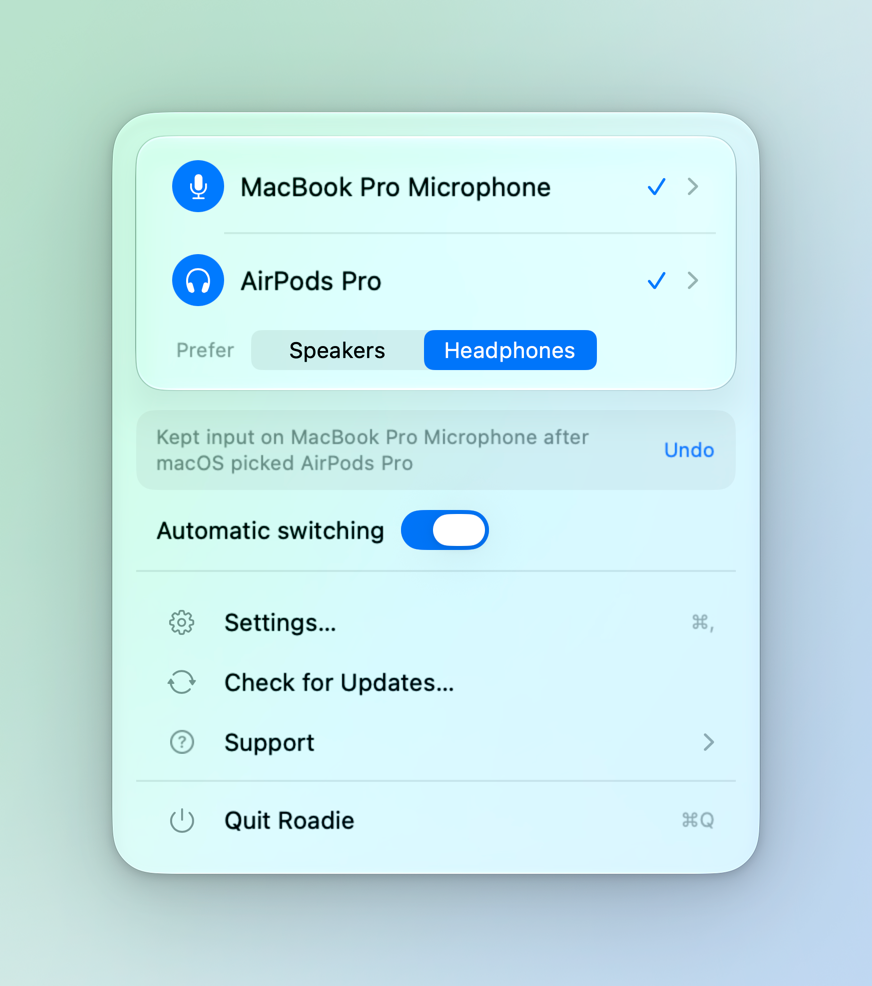 View full size
More context.
View full size
More context.
Less second-guessing.Roadie 0.9.9
Example devices.
Improved
- Hover over a shortened device name to see the full name. Avoided devices now carry an “Avoided” label in the menu.
- Correction messages explain which device macOS picked and which one Roadie kept.
- Generic devices use audio icons, and Settings shows device names in the context of their priority list.
Fixed
- Undo refreshes the last-action message. Losing access or switching to another Mac user clears stale actions.
- Choosing Speakers or Headphones releases a previous manual output choice. Avoiding a manually selected device releases that choice too.
- Using an avoided device as a last resort produces one notification instead of two.
- The update checker now starts when Roadie launches.
Your devices, one click closer.
Open the current input or output to pick an alternative, right where you are.
Improved
- Device lists expand directly beneath the current input or output. One list opens at a time, and longer lists scroll.
- Offline license checks now use signed verification from the server. The entitlement clock also handles sleep more reliably.
After updating: If you already have a license, connect to the internet once to refresh verification before using Roadie offline.
Ready when the Wi-Fi is.
Roadie recovers when it launches before your internet connection does.
Fixed
- Trial and license verification retries after a connection failure and checks again when the network becomes available.
- A waiting state and Try Again action replace misleading license errors during an outage.
- A captive portal or an unreadable cached trial no longer incorrectly ends your trial.
Speakers stay speakers.
More careful headphone detection for devices with ambiguous names.
Fixed
- Names such as Marshall Stanmore and Poly Sync no longer classify speakers as headphones and change the output preference.
- Jabra Elite and Evolve headphones still match through the Jabra name.
A little more Roadie in your menu bar.
A custom outlined microphone brings Roadie’s own identity to the menu bar.
New
- Roadie’s menu bar icon now uses its own outlined microphone and live-light detail.
- The icon shows a slash when the active microphone is muted.
A sturdier everyday companion.
Reliability fixes for audio switching, sleep, and trial verification.
Fixed
- Roadie detects failed audio-device changes instead of treating them as successful.
- Unpausing Roadie and switching back to your Mac user session reset stale correction state.
- After 30 seconds without a correction, connecting or disconnecting a device can let Roadie resume switching.
- Trial checks treat server errors and rate limits as temporary outages. The offline-grace clock accounts for sleep.
Updates, without the round trip.
Check for a newer Roadie from Roadie itself.
New
- Sparkle powers in-app updates with signed update verification.
- Check for Updates gets a dedicated menu row alongside Settings, Support, and Quit.
Just what you need, right now.
A simpler menu keeps your current devices and controls close at hand.
Improved
- The menu puts the current input and output, the last action with Undo, and automatic switching in one place.
- Alternative devices sit in a collapsed Other devices list. License entry and Mac management stay in Settings.
- The purchase flow uses a permanent checkout link and a dedicated thank-you page.
Meet Roadie.
The first numbered public release: set your priorities once, then let Roadie handle the system defaults.
New
- Separate input and output priority lists keep the highest-ranked connected microphone and speakers selected.
- Avoid devices, switch between Speakers and Headphones, and pause automatic switching whenever you need manual control.
- Corrections include Undo. Protection against repeated switching stops Roadie from fighting another app indefinitely.
- A native Settings window brings priority lists and device controls together.
- A full 7-day trial and a one-time license for up to 3 Macs introduce the paid release.

Keep the good changes coming.
Open Roadie’s menu and choose Check for Updates.
New here? Give your audio a quieter life.
macOS 13 or later. Apple silicon and Intel.
Unsigned early access. Read the first-launch steps.